Compare parameters
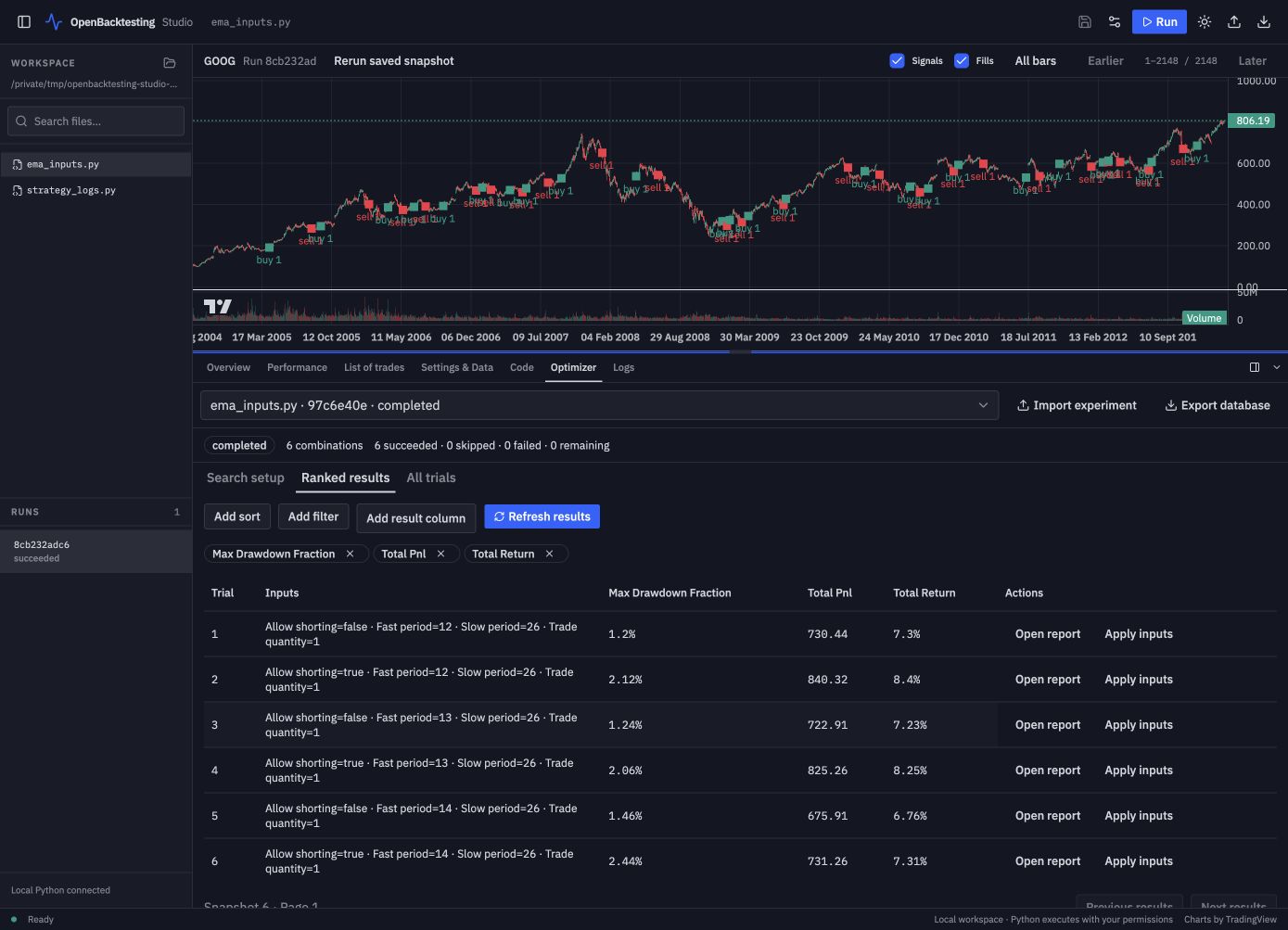
Open ema_inputs.py from your example workspace and review its strategy settings, then open Optimizer, immediately after Code:
- In Search setup, enable Fast period. Keep its first value at
12, then use Add Fast period value twice to enter13and14in separate fields; keep Slow period at 26. Enable Allow shorting and use Add Allow shorting value to include bothfalseandtrue. This creates six combinations. - Click Preview search to capture source, settings, and normalized data and inspect the planned combinations. Preview can import strategy code and load data, but does not execute
init()ornext(). - Click Start experiment. You can cancel and resume using the frozen inputs; regular runs and optimization share one execution slot.
- In Ranked results, choose columns, add sorts or filters, and click Refresh results. All trials includes skipped and failed combinations.
- Use Open report for the saved Portfolio, or Apply inputs to review a trial's parameters for the next regular run.
Optimization currently saves Portfolio reports, not per-trial plots or logs. Apply a trial's inputs and run a regular backtest when you want its chart. Export database creates a consistent SQLite backup; Import experiment opens it for querying and reports, without executing or resuming imported code. See parameter experiments for core search and query semantics.